If your monitor can’t keep up with your GPU, you’re leaving performance on the table — no matter how good the rest of your rig is. The good news is that sub-$300 monitors have never been better. You can now get a 1440p display with a 180Hz refresh rate and genuine HDR for well under what those specs cost two years ago.
This guide covers the five best options available right now, explains what the specs actually mean for competitive play, and helps you choose based on how and what you play — not just on paper numbers.
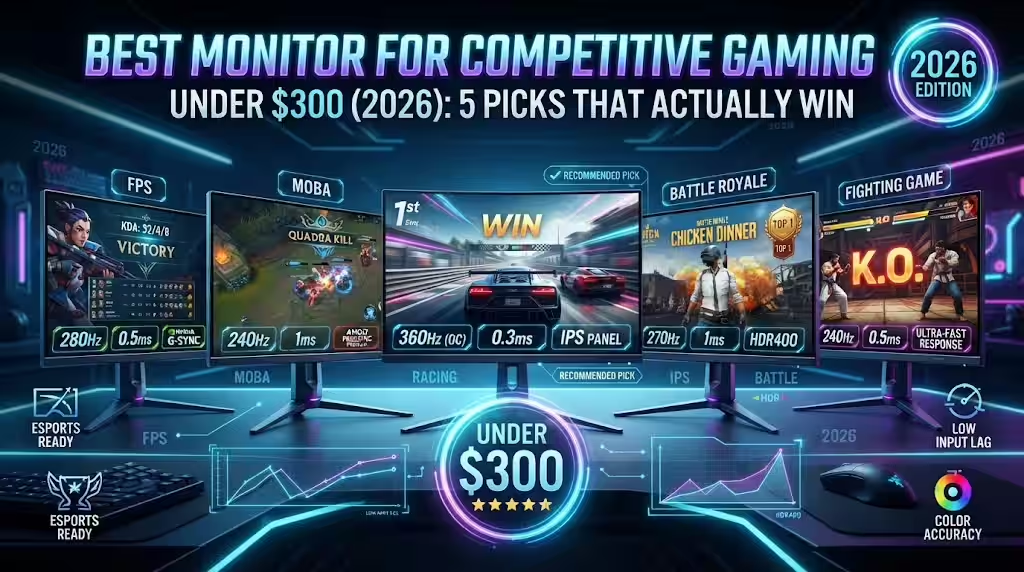
Quick Picks: Best Gaming Monitors Under $300
| Monitor | Resolution | Refresh Rate | Panel | Best For | ~Price |
|---|---|---|---|---|---|
| AOC Q27G3XMN | 1440p | 180Hz | VA + Mini LED | Best overall visuals | ~$220–$230 |
| Alienware AW2725DM | 1440p | 180Hz | Fast IPS | Best all-rounder | ~$200–$270 |
| ASUS TUF VG259QM | 1080p | 280Hz | Fast IPS | Competitive FPS priority | ~$229–$250 |
| Acer Nitro XV272U W2 | 1440p | 240Hz | IPS | High-refresh 1440p value | ~$200–$220 |
| LG 24GS65F-B | 1080p | 180Hz | IPS | Tightest budgets | ~$130–$160 |
Prices fluctuate regularly. Verify current pricing before you buy.
Who Is This For?
This guide is for PC gamers, PS5 owners, and Xbox Series X players who want a competitive-grade monitor without spending $400 or more. Whether you play fast-paced shooters where every millisecond matters, or you want a balanced display that handles ranked matches and single-player games equally well, there is a strong option in this price range for you. Readers on a strict budget are covered too.
Does Refresh Rate Actually Matter for Competitive Gaming?
Yes — but the gains shrink as the numbers climb.
Going from 60Hz to 144Hz is one of the biggest improvements you can make to your competitive experience. The frame time drops from 16.67ms to 6.94ms, which produces dramatically smoother motion and makes it easier to track fast-moving targets.
The step from 144Hz to 240Hz cuts frame time to 4.17ms. That is a meaningful reduction, and most competitive players can perceive the difference under controlled conditions.
From 240Hz to 280Hz or 300Hz, frame time drops to roughly 3.57ms or 3.33ms. The gains are real but smaller, and you need consistent high frame rates in-game to benefit. If your GPU regularly falls below that ceiling, the extra headroom goes unused.
The practical conclusion: 144Hz is the baseline for competitive play. 180Hz or 240Hz is the sweet spot in this price range. 280Hz is worth considering only if you play fast-paced games on a high-end GPU and your CPU can consistently deliver the frame rates to match.
The 5 Best Gaming Monitors Under $300
1. AOC Q27G3XMN — Best Overall
Specs at a glance: 27-inch | 2560×1440 | VA + Mini LED | 180Hz (DisplayPort) / 144Hz (HDMI) | 1ms GtG | FreeSync Premium / G-Sync Compatible | DisplayHDR 1000 | 336 dimming zones | 96% DCI-P3 | ~$220–$230
The AOC Q27G3XMN is the most technically impressive monitor in this price range, full stop. At around $220–$230 on Amazon, it brings Mini LED backlighting with 336 individual dimming zones — a feature you typically only find on monitors costing $450 or more.
The result is a 4,000:1 native contrast ratio and a measured peak HDR brightness of over 1,300 nits. HDR actually looks like HDR on this display: deep blacks, bright highlights, and none of the washed-out look you get from budget IPS monitors with DisplayHDR 400 badges.
Image quality in SDR is also strong. The VA panel covers 96% DCI-P3 and delivers the deep, punchy contrast that IPS panels at this price cannot match. Colors are rich and accurate without additional calibration.
On the gaming side, the 180Hz refresh rate and 1ms GtG response time keep motion clean in competitive play. FreeSync Premium and G-Sync compatibility cover both AMD and NVIDIA setups.
What to know before you buy: The 180Hz maximum refresh rate is only available over DisplayPort 1.4. HDMI ports are version 2.0, which caps refresh rate at 144Hz and limits console use. If you are connecting a PS5 or Xbox Series X via HDMI, you will not get 180Hz, and the monitor does not support HDMI 2.1. There is also some haloing and blooming around bright objects on dark backgrounds — a characteristic trade-off of Mini LED VA technology. The on-screen menu is also notably clunky to navigate. Neither issue affects day-to-day gaming significantly, but they are worth knowing about.
Best for: PC gamers who want the best image quality in this price range, especially those who play a mix of competitive and visually immersive games.
Not ideal for: Console players who need HDMI 2.1 at full speed, or anyone who primarily games in very dark rooms where blooming would be distracting.
2. Alienware AW2725DM — Best All-Rounder
Specs at a glance: 27-inch | 2560×1440 | Fast IPS | 180Hz | 1–2ms GtG | G-Sync Compatible / FreeSync | DisplayHDR 400 | 95% DCI-P3 | 2x HDMI 2.1 | 1x DisplayPort 1.4 | ~$200–$270
The Alienware AW2725DM earns its place as the best all-around pick because it balances image quality, console compatibility, and price in a way that no other monitor here quite matches.
The Fast IPS panel delivers sharp, accurate colors at 95% DCI-P3, with the wide viewing angles and consistent brightness that IPS is known for. The 180Hz refresh rate and sub-2ms response time keep competitive gameplay smooth. G-Sync Compatibility and FreeSync work seamlessly across NVIDIA and AMD GPUs.
The feature that sets this monitor apart from the AOC above is its two HDMI 2.1 ports. This makes it a practical choice for Xbox Series X and PS5 owners who want 1440p output from a PC while also connecting a console. One important clarification: the HDMI 2.1 implementation on this monitor uses TMDS signaling rather than FRL, which means it does not carry the full theoretical bandwidth of a premium HDMI 2.1 port. For 1440p gaming at up to 144Hz from a console, it works well. For 4K/120Hz console gaming, it is not the right tool.
Price tracking shows this monitor has sold as low as $179–$200 on Amazon during promotional periods, with an MSRP of $269.99. At $200, it is an exceptional value. At $270, it is still competitive but the AOC Q27G3XMN becomes a stronger alternative if you do not need HDMI 2.1.
Best for: Gamers who split time between PC and console, or anyone who wants a clean Fast IPS experience with strong color accuracy and a trusted brand.
Not ideal for: Anyone prioritizing peak HDR performance — DisplayHDR 400 is a modest certification, and the AOC’s Mini LED panel is significantly better in HDR scenarios.
3. ASUS TUF VG259QM — Best for Competitive FPS
Specs at a glance: 24.5-inch | 1920×1080 | Fast IPS | 280Hz (OC) / 240Hz (native) | 1ms GtG | FreeSync / G-Sync Compatible | DisplayHDR 400 | ~$229–$250
If you play Counter-Strike 2, Valorant, Apex Legends, or any competitive shooter where maximizing frame rate is the priority, the ASUS TUF VG259QM deserves serious consideration.
Its 280Hz maximum refresh rate is achieved via overclock from the 240Hz native panel. At 280Hz over DisplayPort, frame time drops to 3.57ms. Combined with the monitor’s ELMB-Sync (Extreme Low Motion Blur Sync) feature — which allows backlight strobing and VRR to run simultaneously — motion clarity is among the best available at this price.
The 24.5-inch size and 1080p resolution mean your GPU produces high frame rates more easily than it would at 1440p. If your graphics card consistently delivers 200+ frames per second in your main game, this monitor makes the most of that output.
The Fast IPS panel offers accurate colors, good viewing angles, and a clean picture for competitive use. ELMB-Sync is genuinely useful for reducing perceived blur during fast movement, which most competing monitors in this range cannot offer.
What to know before you buy: This is an older model (originally released in 2020) that remains well-regarded, but availability has tightened in some markets. At 1080p on a 24.5-inch screen, pixel density is lower than the 1440p options above, which shows in everyday desktop use. HDMI is version 2.0, capping console output at 240Hz over that connection. If 1080p sharpness bothers you outside of gaming, the 1440p picks may suit you better overall.
Best for: Dedicated competitive FPS players with a mid-to-high-end GPU who want the highest refresh rate in this price range.
Not ideal for: Anyone who uses the monitor for content consumption, creative work, or console gaming — the 1080p resolution and DisplayHDR 400 limit its versatility.
4. Acer Nitro XV272U W2 — Best High-Refresh 1440p Value
Specs at a glance: 27-inch | 2560×1440 | IPS | 240Hz | 0.5ms GtG | FreeSync Premium | ~$200–$220
The Acer Nitro XV272U W2 hits a spec combination — 1440p resolution at 240Hz — that most monitors charge considerably more for. At $200–$220, it offers the smoothest competitive experience among the 1440p options in this guide.
The IPS panel delivers accurate, consistent color without the blooming trade-off of the AOC’s VA panel. Motion handling at 240Hz is genuinely sharp, and the 0.5ms GtG response time keeps ghosting to a minimum. FreeSync Premium ensures tear-free gameplay with compatible AMD GPUs, and the monitor also works with NVIDIA cards via Adaptive-Sync.
Where it gives ground to the AOC Q27G3XMN is in HDR and contrast. The XV272U W2 uses a standard edge-lit backlight without local dimming, so HDR performance is limited compared to the Mini LED AOC. For competitive gaming in well-lit rooms, this is rarely a meaningful disadvantage.
Best for: PC gamers who want the fastest 1440p option in this price range and prioritize smooth competitive performance over HDR quality.
Not ideal for: Anyone who plays in dark environments or wants strong HDR for cinematic games — the AOC Q27G3XMN is the better choice in those cases.
5. LG 24GS65F-B — Best for Tight Budgets
Specs at a glance: 24-inch | 1920×1080 | IPS | 180Hz | 1ms GtG | FreeSync Premium / G-Sync Compatible | ~$130–$160
At $130–$160, the LG 24GS65F-B is the entry point for competitive gaming monitors that are actually worth buying. It brings a fast IPS panel, 180Hz refresh rate, and genuine Adaptive-Sync support at a price that undercuts everything else on this list by a significant margin.
The IPS panel provides accurate colors and wide viewing angles — considerably better than the budget TN panels that used to dominate this price tier. The 180Hz refresh rate is meaningful for competitive play, and input lag is low. G-Sync compatibility and FreeSync Premium make it a clean fit for both NVIDIA and AMD setups.
At this price, trade-offs are real. You get 1080p rather than 1440p, and HDR is basic at best. The stand ergonomics are more limited than the premium options above. But if your budget is firm at $150 or you are building a secondary PC gaming setup, this monitor delivers a genuinely competitive experience without compromise where it counts.
Best for: Budget-conscious gamers, secondary setups, and anyone upgrading from a 60Hz or 75Hz display who wants an immediate competitive improvement.
Not ideal for: Gamers who want 1440p resolution or strong HDR — the other picks on this list are better suited for those needs.
Panel Type Explained: VA vs. IPS for Gaming
VA panels (like the AOC Q27G3XMN) offer significantly higher native contrast ratios — typically 3,000:1 to 4,000:1 versus around 1,000:1 for IPS. This makes blacks look genuinely dark and HDR content much more impressive. The trade-offs are slightly slower pixel response times, which can cause faint smearing in very fast scenes, and narrower effective viewing angles.
IPS panels (and Fast IPS variants) prioritize speed, color accuracy, and consistency. Response times are faster at high refresh rates, viewing angles are wider, and the image looks more consistent across different lighting conditions. Contrast is the main weakness — blacks look gray in a dark room compared to VA.
For competitive gaming in a normally lit room, IPS is often the cleaner daily choice. For a mixed setup where visual quality in cinematic games also matters, the AOC’s VA + Mini LED combination is genuinely superior.
144Hz vs. 240Hz vs. 280Hz: Which Is Right for You?
144Hz is the competitive baseline. It is a major step up from 60Hz and covers the majority of use cases well. If your GPU delivers consistent 144+ FPS in your games, you will feel the difference immediately.
180–240Hz is the sweet spot in 2026. Monitors in this range offer noticeably smoother motion than 144Hz without requiring a top-tier GPU to feed them properly. Both the AOC and Alienware options fall here, and for most players, this is the right target.
280Hz makes the most sense for players who are already at 240Hz and want more, play at a very high competitive level in games like CS2 or Valorant, and consistently hit high frame counts on their hardware. At this level, the gains are real but incremental, and they only materialize if your PC keeps pace.
The honest answer for most players: prioritize 1440p at 180Hz over 1080p at 280Hz unless you play almost exclusively in competitive shooters.
Console Gaming: PS5 and Xbox Series X Compatibility
Most monitors in this guide are PC-first in their design, which creates a specific compatibility consideration for console players.
The PS5 and Xbox Series X output at 4K, but both also support 1440p on monitors that accept it. For 1440p gaming at 120Hz from a console, you need HDMI 2.1. The Alienware AW2725DM is the only monitor in this guide with HDMI 2.1 ports — making it the natural choice if you are connecting a current-gen console.
The AOC Q27G3XMN has HDMI 2.0 only. Connected via HDMI, it is limited to 144Hz, and its 180Hz maximum is only available over DisplayPort, which consoles do not use. It remains a solid monitor for console gaming at 1440p/60Hz or 1440p/120Hz (via DisplayPort-to-HDMI adapters, where supported), but it is not optimized for that use case.
The ASUS TUF VG259QM also uses HDMI 2.0, limiting its console output to 1080p/240Hz or lower.
If console gaming is your primary use case, the Alienware AW2725DM is the clear recommendation.
Is 1440p Worth It for Competitive Gaming Under $300?
Yes — with context.
At 27 inches, 1440p (2560×1440) is noticeably sharper than 1080p. The pixel density difference is visible in game text, fine environmental details, and target outlines at range. Most competitive players at this monitor size find 1440p more comfortable for extended sessions.
The trade-off is GPU demand. Maintaining 180Hz at 1440p requires more from your graphics card than maintaining 180Hz at 1080p. If your GPU struggles to push high frame rates at 1440p in the games you play, the 1080p options like the ASUS VG259QM or LG 24GS65F-B become more practical.
At 24–24.5 inches, 1080p is more defensible. The smaller screen keeps pixel density reasonably high, and the GPU savings translate directly into higher frame rates.
What About 4K Under $300?
Broadly, true competitive-grade 4K at 120Hz or above remains above this price ceiling in 2026. Monitors that advertise 4K in this range typically compromise on refresh rate, response time, or both — none of which is acceptable for competitive gaming. If 4K is your goal, a realistic budget starts closer to $350, and a separate guide covering that range will serve you better.
Frequently Asked Questions
Is 144Hz enough for competitive gaming in 2026?
Yes. 144Hz is a meaningful baseline that most competitive players can feel. 180–240Hz is preferable if your GPU can deliver the frame rates to match, but 144Hz is not a handicap in most game modes or skill brackets.
Does response time matter as much as refresh rate?
Both matter, but refresh rate has the larger perceptible impact for most players. A 1ms GtG response time is excellent; a 4ms GtG response time on a well-calibrated Fast IPS panel is also perfectly acceptable for competitive play. The gap between 1ms and 4ms is much smaller in practice than the gap between 144Hz and 240Hz.
Can I use these monitors with a PS5 or Xbox Series X?
Yes, but with limitations. The Alienware AW2725DM offers the best console compatibility via its HDMI 2.1 ports. The other monitors use HDMI 2.0, which limits consoles to 1440p/120Hz at best or 1080p in some configurations. None of these monitors support 4K/120Hz from a console.
Is VA or IPS better for competitive gaming?
IPS is generally preferred for pure competitive gaming because of its faster pixel response times and better performance in bright room conditions. VA panels offer significantly better contrast and HDR quality. If you play a mix of competitive and atmospheric games, the AOC Q27G3XMN’s VA + Mini LED combination is the better overall choice.
Will these monitors work with both NVIDIA and AMD GPUs?
Yes. Every monitor in this guide supports both FreeSync (AMD) and G-Sync Compatible (NVIDIA) through Adaptive-Sync.
Is the AOC Q27G3XMN still worth buying in late 2026?
At its current price of around $220–$230, it remains one of the best-value gaming monitors available at any price, not just under $300. The Mini LED backlighting, DisplayHDR 1000 certification, and 336 dimming zones are not matched by anything else near this price. Note that AOC has introduced a newer Q27G40XMN model with 1,152 dimming zones at a similar price point — if that model is available when you shop, it is worth comparing.
The Bottom Line
The best monitor for competitive gaming under $300 is the AOC Q27G3XMN for most PC gamers. Its Mini LED backlighting, 336 dimming zones, 1440p resolution, and DisplayHDR 1000 certification deliver an image quality level that nothing else at this price comes close to.
If you split time between PC and console, the Alienware AW2725DM is the smarter choice — its HDMI 2.1 ports make it the only monitor in this guide that handles current-gen consoles properly.
For dedicated competitive FPS players who want the highest possible refresh rate and consistently run high frame counts, the ASUS TUF VG259QM at 280Hz is the pick.
On a tight budget, the LG 24GS65F-B at $130–$160 delivers a genuinely competitive 180Hz IPS experience without spending close to $300.
Any of these five monitors is a meaningful upgrade over a 60Hz or 75Hz display. Choose based on your primary use case, verify pricing before you buy, and pair it with hardware that can keep up.
For more help building or upgrading your setup, see our guides to the best gaming equipment and best graphics cards for gamers.